
How to Set Up IPTV on TiviMate (Step-by-Step Guide + Video Tutorial)
If you want to enjoy your IPTV subscription on your Android TV or FireStick, TiviMate is one of the best apps available. It offers a clean interface, smooth navigation, and powerful features that make IPTV streaming simple and enjoyable.
In this guide, you’ll learn how to install and set up IPTV on TiviMate — step by step — and watch a video tutorial at the end.
✅ What You Need Before Starting
Before setting up IPTV on TiviMate, make sure you have:
- A TiviMate app installed (free or premium version).
- A valid IPTV subscription (like iptvsubscription1.store/).
- The M3U URL or Xtream Codes provided by your IPTV provider.
🔧 Step 1: Install TiviMate App
- Open Google Play Store on your Android TV or FireStick.
- Search for “TiviMate IPTV Player.”
- Click Install and wait until the app finishes downloading.
- Once installed, open TiviMate.
💡 Note: TiviMate is just a player. You still need an IPTV subscription to stream channels.
🔑 Step 2: Add Your IPTV Playlist (M3U URL)
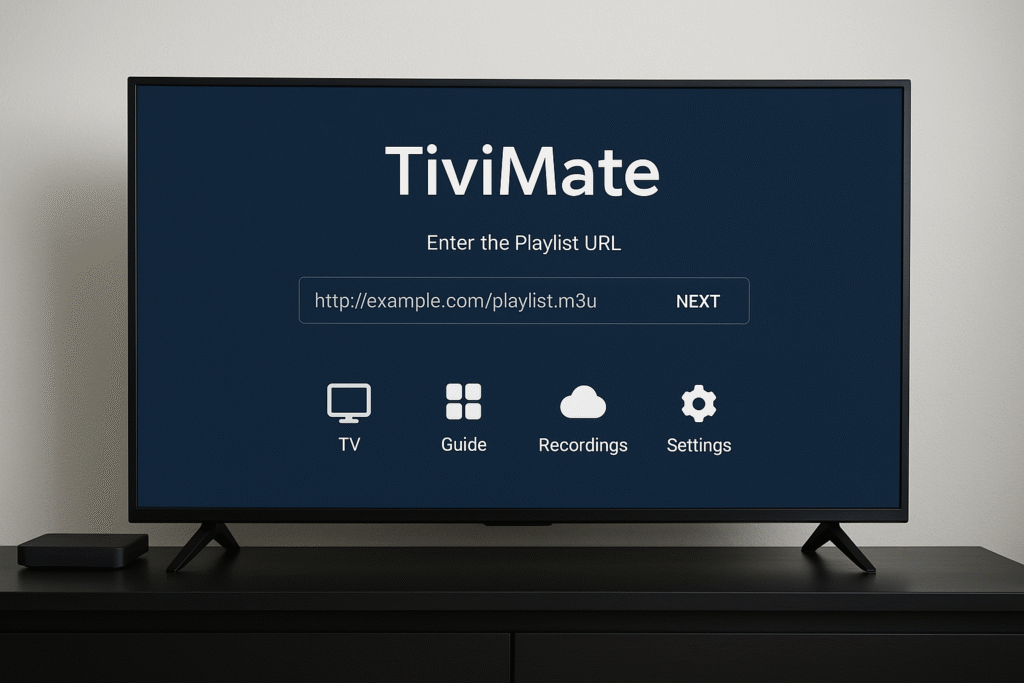
- Open TiviMate and select “Add Playlist.”
- Choose “Enter URL.”
- Paste your M3U link (you received this from your IPTV provider, such as iptvsubscription1.store/.
- Click Next to load your channels and EPG (TV Guide).
- Once it’s done, your channels will appear inside TiviMate.
⚙️ Step 3: Customize Your Settings
You can improve your viewing experience:
- Change the EPG (Electronic Program Guide) view.
- Add favorite channels.
- Organize your categories (Sports, Movies, News, etc.).
- Set up recording (for premium users).
📱 Step 4: Enjoy Your IPTV Channels
That’s it! 🎉
You can now browse all your channels, watch live TV, and enjoy premium content in HD or 4K.
For the best experience, use a stable internet connection (20+ Mbps) and the premium version of TiviMate.
🎥 Video Tutorial: How to Set Up IPTV on TiviMate
👉 Watch this video guide:
Click here to watch the setup video on YouTube
💡 Final Tips
- Always get your IPTV from a trusted provider like iptvsubscription1.store.
- Use a VPN for privacy and security.
- Keep your playlist updated for the latest channels.
🏁 Conclusion
Setting up IPTV on TiviMate is easy and only takes a few minutes. With the right IPTV subscription and stable connection, you can enjoy thousands of live channels, movies, and sports from all over the world.
Try it now with iptvsubscription1.store